
Ranking LFG apps on a one-to-ten scale is misleading. Gaming group apps connect players for sessions using chat and profiles, or they run direct matchmaking. GameTree pairs the widest reach with temporary Discord rooms. GamerLink is different, targeting competitive teammate searches across more than 300 games.
We skipped arbitrary scores and sorted these ten multiplayer gaming apps by the specific jobs they do. Some focus on quick squads or recurring friendships, while others offer searchable profiles and wider social networks. You also have flexible chat apps alongside console-native tools. Each option was judged by its reach and activity, plus how well its trust controls fit your platform and session type.
| App | Best for |
|---|---|
| GameTree | Broad matchmaking |
| GamerLink | Competitive teammates |
| Gamers.Online | Searchable LFG profiles |
| Playsum | Longer-term friends |
| PLINK | Squad matchmaking |
| Gameram | Wider social network |
| Discord | Flexible group chat |
| Xbox | Console-first groups |
| PlayStation | PlayStation-centered sessions |
| Game invites | Casual mobile sessions |
Best for broad matchmaking: GameTree
Finding gaming friends for a single night shouldn’t mean doing the work of building a permanent clan. To save your search time from inactive users, check recent activity signals before you lock in a match, then let GameTree pair you with people who want similar gaming connections.
The app sets up temporary rooms inside its Discord server and clears them out automatically once your session ends. Dead channels never pile up. That keeps chat focused during quick sessions with a wide pool of players, while anyone who needs a targeted competitive team can look to other gaming communities to weigh trust factors before committing.
| Criterion | GameTree | GamerLink | Gamers.Online |
|---|---|---|---|
| Discovery reach | Broad social matching | 300+ games | Searchable profiles |
| Session structure | Temporary Discord groups | Targeted teams | Profile-based LFG |
| Activity concern | Inactive users reported | Messaging limits | Verification needed |
Best for competitive teammates: GamerLink
Ranked matches demand dedicated roles, not just friendly strangers. A wide catalog of supported titles helps make GamerLink the sharpest option for building a game-specific roster. It pairs you with people based on play preferences so your styles click. Developers have spent over six years refining the platform to connect you with reliable friends and teammates.
When online gaming acts as a social lifeline, that preference matching cuts the friction of pulling a dependable squad together. Among apps to find teammates, it works best when a competitive session needs a specific role. Still, some user reviews warn of slow queues in certain titles. Check that your game has an active crowd before you spend time building a detailed profile.
| Criterion | GamerLink | GameTree | Console tools |
|---|---|---|---|
| Game coverage | 300+ games | Broad matching | Console-specific |
| Match method | Preference-based | Social interests | Friend lists |
| Platform support | Xbox, PlayStation, PC | Cross-platform | Single ecosystem |
Best for a searchable LFG profile: Gamers.Online
Live feeds move fast and bury good posts. On Gamers.Online, you publish a gamer CV and let other players come looking for you. The site focuses on LFG discovery and gives you tools to find gaming friends who share your interests. Hosting a searchable page gives you much more say over who reaches out.
Everything on that page is public, so keep private contact info off your listing and check that the directory is still active before planning a session. Stick to four basic filters when you set up your page:
- Platform (PC, Xbox, PlayStation, Switch, mobile)
- Schedule (time zone, typical play hours, weekday or weekend availability)
- Region (from broad country down to your exact server region)
- Play style (casual, competitive, social, co-op, ranked, unranked)
Best for making longer-term friends: Playsum
One-off LFG matches rarely turn into a regular weekly crew. Playsum skips single-session matching and builds recurring groups around shared games and schedules. It pitches itself as a welcoming place to find gaming friends by linking you with people who already play your favorite titles. Posting your play hours and main games up front pays off if you want a steady group rather than a fast first match.
The site also promises to make gaming safer, though you should still set clear boundaries and build basic trust before committing to a regular roster. Playsum treats community as the starting point rather than the lucky side effect of a good match, which leaves your experience entirely in the hands of how active and well-moderated each group actually is.
Best for squad matchmaking: PLINK
Pulling a group together takes seconds with gaming group apps that skip the sprawling community feed and focus solely on building a squad. PLINK pitches itself directly to players looking for a compatible teammate, and this stripped-back approach works well if you just want to get into a game quickly. While the developers promise the app will broaden your gaming horizons and deliver a pro-level experience, there isn’t much outside evidence to back that up yet.
When using this gamer squad finder, a simple four-step routine keeps things moving:
- Search for players who match your goals and skill level.
- Chat with your matches to line up schedules and play styles.
- Run a single session to see how well everyone communicates.
- Decide after that first match if you want to play together again.
Those stat-tracking and matchmaking features only pay off if enough people actually play your specific title on the app. Check that your game is actively supported, find the blocking and reporting tools, and play one test match to check a new group’s communication before committing to a regular schedule.
Gameram centers on an ongoing feed. Instead of quickly filling an open lobby for targeted grouping, you can casually browse a community and follow people. The online gaming social experience here stretches well past a single evening of matches, helping you build long-term connections and recurring interaction with other players.
Check whether your area actually has active groups for the titles you play before you build a full profile and set the app up. It is hard to pin down the network’s total user numbers or regional coverage. When you browse those public groups, keep your public profile details separate from what you share during matchmaking, and check for clear account and moderation controls.
Best for flexible group chat: Discord
Discord keeps gaming groups together long after a match ends. If your crew shares a server, you can customize the channels and member permissions to fit your setup. Joining an unfamiliar community takes more care because every server writes its own safety standards, meaning your experience depends entirely on how well the admins run the space and an open invite never guarantees a friendly crowd.
Before you stay in a new space, see how the staff manages entry rules and user complaints. Check whether the server uses a public link or locks entry behind invite-only rules and admin approval, and see who can post or moderate the chat. Look at how to flag abuse and how fast mods respond to reports, too. Confirm whether the space restricts entry to 18+ members, how its age-restricted channels work, and what the ban policies say before you settle into another login.
Best for console-first groups: Xbox
Relying only on Xbox party chat and native invites cuts you off from teammates on other platforms unless a game supports cross-platform play on its own. That trade-off barely matters when your friends already share the same network. Staying inside the built-in system removes extra setup and keeps your account controls in one place, so you never have to manage another login.
Check what your specific game does with LFG tools and cross-play before you download a separate mobile chat app. If it adds nothing the console cannot already do, stay on the native network.
| Criterion | Xbox | PlayStation | Third-party apps |
|---|---|---|---|
| Account link | Native integration | Native integration | Separate sign-up |
| Party chat | Console voice | Console voice | App-based chat |
| Cross-platform | Varies by game | Varies by game | Often broader |
| Discovery reach | Friend lists | Friend lists | Open matching |
Best for PlayStation-centered sessions: PlayStation
Native console tools cannot help you find strangers. They only work when everyone already shares the PlayStation ecosystem, and whether you can reach beyond it depends entirely on a game’s cross-play support.
For groups that already talk over console voice, though, forcing everyone to register on a new platform just to squad up creates pointless work. Your existing profile handles every invite. Nobody needs a second identity.
| Criterion | PlayStation native | Third-party LFG |
|---|---|---|
| Setup friction | None (existing account) | New profile required |
| Discovery reach | Friend lists | Open matching |
| Account continuity | Full integration | Separate sign-up |
| Cross-platform scope | Game-dependent | Often broader |
Best for casual mobile sessions: Game invites
When you already have a group and just want to play on your phone without making another account, built-in invite systems handle the setup. Both Call of Duty: Mobile and 8 Ball Pool skip outside tools entirely. Players can jump straight into multiplayer modes like Deathmatches or Battle Royale, queue for Ranked matches, or mix digital competition with the feel of a real pool table.
Sticking to people you know also removes the trust and safety risks of open LFG apps. Just open the game’s friend invite screen. From there, pick someone from your Facebook roster or in-game contact list, or pull from your platform friends, then send the invite, agree on a time, and launch the match without any outside search steps.
Speed beats discovery here. Because these invites assume you already have a squad and only need quick coordination, the whole approach stalls out the moment your regular friends go offline.
Questions to ask before joining a gaming group
Check the privacy settings and age fit before you even make a profile. After that, figure out who the app is built for, how it matches players, and whether you actually need a discovery tool. If two options still look equal, weigh broad reach against narrow specificity to break the tie.
What is the best app to meet gaming friends?
Both GameTree and GamerLink work a lot like dating apps by using preference-based discovery. While GameTree pairs people by their gaming interests and social habits, GamerLink focuses purely on in-game preferences. Neither option will help you unless your region has active players who clearly list when they are free to play. An algorithm match only gives you a starting point, so you still have to verify that a new teammate is trustworthy.
What do you use to find friends for online games?
First, decide whether you are looking to meet strangers or just trying to organize people you already know. LFG services are built for finding a quick teammate, while gaming community apps help you build friendships that last. If everyone plays on the same hardware, built-in console tools are usually enough.
- Try GamerLink and Gamers.Online when you need teammates for a specific title.
- Look at GameTree and Playsum for broader social discovery.
- Stick to Xbox or PlayStation features when your whole group shares the same console.
- Open Discord if you just need a place to talk.
What is the best app for gaming groups?
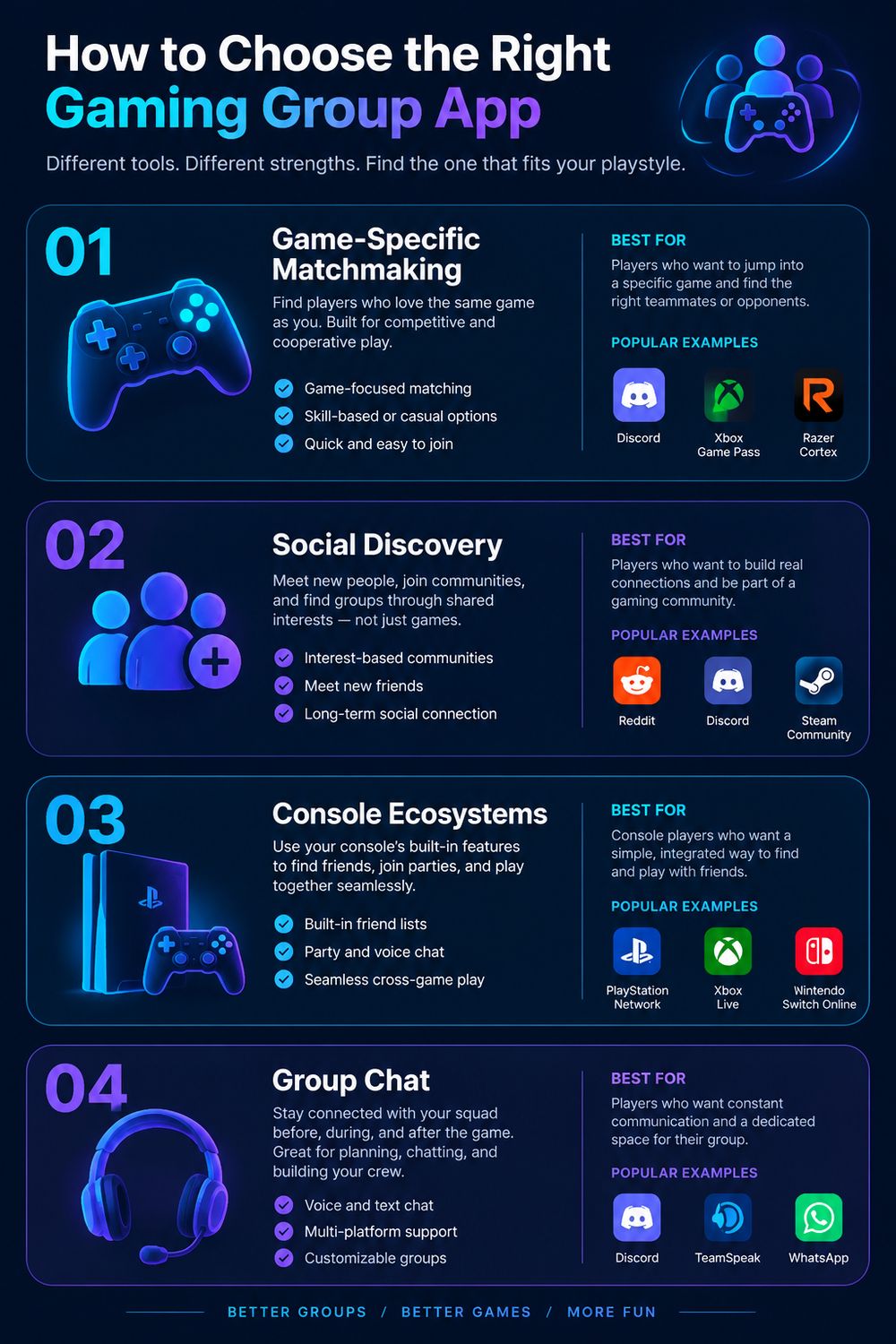
Your best option depends on whether you need wide reach to meet new people or simple coordination for an existing crew. GameTree is built for wide social discovery, while GamerLink focuses on pulling together targeted teams, and Discord simply handles flexible voice and text chat. When you do not need cross-platform discovery, native console tools are the easiest way to keep your accounts in one place.
Start with GameTree, then narrow the fit
When a scheduled play session ends on GameTree, its temporary Discord group clears right out. That automatic cleanup gives most players a low-risk way to meet people, since the app matches you by gaming interests across a wide user pool. It is the practical choice when sheer player volume matters more to you than finding experts in one niche title.
Need competitive, game-specific teammates instead? Try GamerLink, which pairs preference matching with a large library of titles, or browse the searchable LFG profiles on Gamers.Online yourself. If your crew already shares an Xbox or PlayStation ecosystem, you can cut out outside apps entirely by opening native party chat and sending direct game invites to people you trust.