
We have all been there. You are typing fast, or maybe you are just clearing out old clutter, and you hit delete. A split second later, you realize that message had a link, a password, or a memory you actually needed. The panic sets in. You look around the app for a “trash” folder or an “undo” button, but there is nothing to be found.
Since we are in 2026, online privacy is at an all-time high. This is great for your security, but it makes things tricky when you want to recover deleted discord messages. Discord does not store your deleted content on its central servers once you remove it. They take “deleted” quite literally to keep up with global privacy laws.
This guide will walk you through the only legitimate ways to see what was lost. We are going to look at phone settings, server tools, and local caches. I will also tell you which “magic tools” to avoid so you do not end up with a hacked account. If you need that text back, let’s look at what is actually possible right now.
The Reality of Discord Data in 2026
Discord uses a specific type of database architecture that prioritizes speed and user privacy. When you click that delete button, a signal goes to their servers to wipe that specific entry. In 2026, with the latest updates to data protection acts, Discord has made this process even more permanent to ensure they stay compliant with international standards.
There is no secret “archive” button hidden in your user settings for deleted chats. Once the message is gone from the UI, it is officially removed from the live database. This means that any method to recover deleted discord messages has to rely on data that was saved somewhere else before the deletion happened.
Why Discord Deletes Data Permanently
Discord follows a “Privacy by Design” philosophy. They do not want to hold onto your data longer than they have to, because storing billions of deleted messages would be a massive liability and a storage nightmare.
The Role of Local Storage
Every time you use Discord, your device stores small bits of information to make the app run faster. This is called a cache. While the server might have deleted the message, your phone or computer might still “remember” it for a short time.
Understanding Syncing
Discord syncs across all your devices. Usually, if you delete a message on your phone, it disappears on your desktop instantly. However, if one device is offline when the deletion happens, you might have a tiny window of opportunity to see the text before it updates.
Legal Privacy Constraints
Laws like the GDPR and the CCPA require tech companies to actually delete user data when asked. If Discord kept a secret backup of your deleted messages, they could face billions in fines. This is why the platform is so strict about permanent removal.
Key Factors of Discord Data Deletion
|
Feature |
Status in 2026 |
Impact on Recovery |
|
Server Side Storage |
Permanently Wiped |
Zero recovery from Discord’s end |
|
Audit Logs |
Shows “Who” and “When” |
Does not show the message content |
|
Local Cache |
Temporary Storage |
Possible to find fragments |
|
Notification History |
System-Level Log |
Best chance for mobile users |
Method 1: Using Server Logging Bots
If you are an admin or a moderator, you probably already know about bots. These are the most reliable way to recover deleted discord messages within a server environment. Bots like Dyno, Carl-bot, or specialized loggers work by “copying” a message the second it is sent. When the original is deleted, the bot keeps its own copy in a private log.
This is a preventative measure. It won’t help you if the message is already gone and you didn’t have a bot set up. But for anyone running a community in 2026, having a logging system is standard practice for safety and record-keeping.
Choosing the Right Logging Bot
Not all bots are created equal. You want a bot that has a high uptime and a clear privacy policy. Dyno and Carl-bot are the industry leaders because they offer clean, searchable logs that stay active even if the user who sent the message leaves the server.
Setting Up a Log Channel
To use this method, you need to create a “hidden” channel that only admins can see. You then tell the bot to send all “Message Delete” events to that channel. This creates a scrolling history of every single thing that gets removed from the server.
Permissions and Privacy
You must ensure the bot has “View Channels” and “Read Message History” permissions. Without these, the bot is essentially blind. In 2026, most bots also require you to opt-in to message content logging due to new privacy toggles.
Read Also: How to Add Bots to Discord Server: Complete Guide
Searching the Logs
Once the bot is running, you can use the bot’s dashboard or a search command within the log channel. You can search by User ID or by the channel where the message originally lived. This makes finding a deleted link or a specific phrase very easy.
Top Logging Bots for Discord in 2026
|
Bot Name |
Primary Feature |
Ease of Setup |
|
Dyno |
Comprehensive Web Dashboard |
Easy |
|
Carl-bot |
Highly Customizable Triggers |
Moderate |
|
Logger |
Dedicated to Data Archiving |
Advanced |
|
Mee6 |
Simple Moderation Logs |
Very Easy |
Method 2: Android Notification History
For the average user who isn’t an admin, the Android Notification History is the absolute best tool to recover deleted discord messages. If you have a modern Android phone (running Android 11 or later, through the 2026 versions), your phone keeps a log of every notification that pops up.
This works because the notification contains the text of the message. Even if the sender deletes the message on Discord, the notification log on your phone is a separate system. It does not get updated when the message is deleted from the app.
Enabling the History Feature
You have to have this feature turned on before the message is sent. To check, go to your phone Settings, tap on Notifications, and look for “Notification History.” If it is off, turn it on now so you are covered for the next time this happens.
Finding the Discord Log
Once you are in the Notification History, scroll down until you see the Discord icon. Tap the arrow next to it to expand the list. You will see a chronological list of every message that triggered a notification on your phone in the last 24 hours.
Dealing with Long Messages
One limitation is that notifications sometimes truncate very long messages. You might only see the first few hundred characters. However, for most conversations, this is plenty of information to get the gist or find the specific detail you lost.
Time Constraints
Most Android phones only keep this history for 24 hours. If you are trying to find a message from last week, this method won’t work. You have to be quick and check your logs as soon as you realize a message is missing.
Comparison of Mobile Recovery Methods
|
Device Type |
Feature |
Success Rate |
|
Android 11+ |
Notification History |
High (within 24 hours) |
|
Older Android |
Third-party Loggers |
Moderate |
|
iPhone (iOS) |
Notification Center |
Low (clears quickly) |
|
Samsung Galaxy |
Good Lock (NotiStar) |
Very High |
Method 3: Desktop Cache and Inspect Element
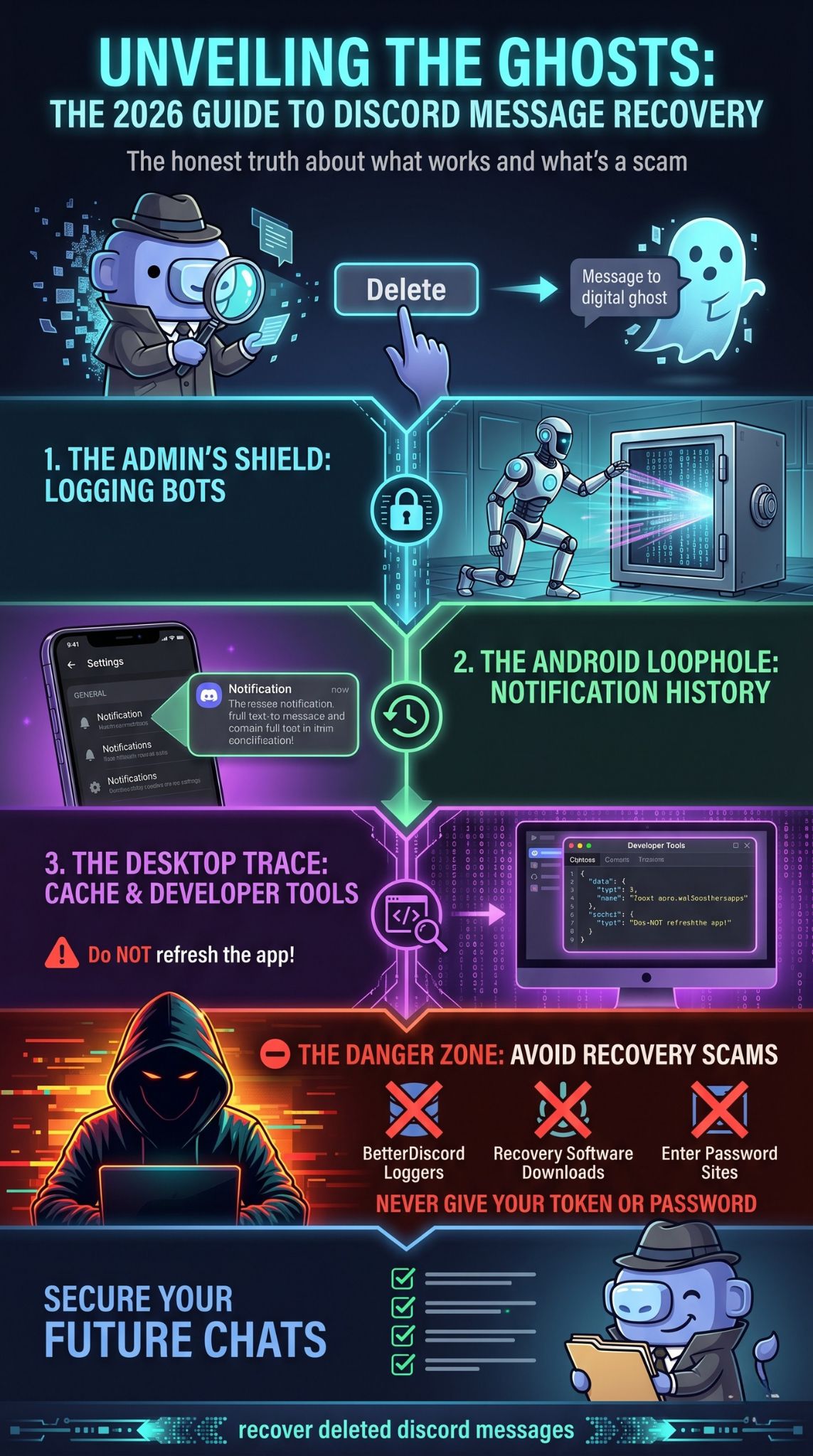
If you are using the Discord desktop app or a web browser, you might be able to find the message in your temporary files. This is a bit more technical, but it is a solid way to recover deleted discord messages if you haven’t refreshed your app yet. Discord stores recent chat data in your RAM to make scrolling feel smooth.
If you see a message and then it disappears with a “Message Deleted” ghost, the text might still be sitting in your computer’s memory. As long as you don’t close the window or click away to a different channel, you have a chance to dig it out.
Using the Developer Tools
On the desktop app or Chrome, you can press Ctrl+Shift+I (or Cmd+Option+I on Mac). This opens the Developer Tools. This is the “engine room” of the app where you can see the data packets being sent and received.
The Network Tab
Inside the Developer Tools, go to the “Network” tab. This shows all the incoming data. If the message was recently loaded, you can sometimes find the JSON file that contains the text of the chat. It takes some digging, but the text is often there in plain English.
Console Commands
Some users use specific scripts in the Console tab to pull the last 50 messages from the local cache. While this is effective, you should never paste code into the console unless you understand exactly what it does. There are many malicious scripts out there designed to steal your “token.”
Avoid Refreshing
The most important rule here is: do not refresh. The moment you press F5 or restart the app, the local cache is wiped and replaced with the current (deleted) state of the server. If you see a deletion happen live, keep the window open and start your investigation.
Technical Recovery Steps
|
Step |
Action |
Tool |
|
1 |
Open Developer Tools |
Ctrl+Shift+I |
|
2 |
Navigate to Network |
Network Tab |
|
3 |
Filter by “Science” or “Messages” |
Filter Bar |
|
4 |
Inspect Preview Data |
JSON Viewer |
Method 4: Requesting Your Discord Data Package
Every user has the right to see the data Discord has collected about them. In your settings under “Privacy & Safety,” there is an option to request a data package. Many people think this is a way to recover deleted discord messages, but there is a major catch you need to understand.
When you request this package, Discord compiles everything currently associated with your account. Since deleted messages are supposed to be removed from their systems, they usually do not appear in this file. However, there are some specific scenarios where fragments or metadata might still be present.
How to Request Your Data
Go to User Settings > Privacy & Safety. Scroll to the bottom and click “Request Data.” It can take up to 30 days for Discord to email you the download link. In 2026, they are usually faster, often delivering it within 3 to 5 days.
What is Inside the Zip File
The file is a collection of JSON and CSV files. You will see your message history, but it is typically a “current” snapshot. If you deleted a message a month ago, it likely won’t be in the text files. What you will find are the IDs for the channels and servers you’ve used.
Using IDs for Further Search
Sometimes, having the specific Message ID or Channel ID can help you if you are using other tools or if you need to report a specific incident to Discord Support. It provides a “paper trail” even if the content itself is gone.
The “Right to be Forgotten”
Because of the “Right to be Forgotten” laws in 2026, Discord is very efficient at scrubbing data. If the data package actually contained your deleted messages, Discord would be violating their own privacy policy. Use this method more for account auditing than for actual message retrieval.
Data Package Contents
|
File Type |
Content |
Recovery Use |
|
index.json |
Account Overview |
Low |
|
messages.csv |
Current Chat History |
Moderate |
|
activity.json |
App Usage Logs |
Low |
|
servers.json |
List of Joined Servers |
Low |
Avoiding the “Recovery Tool” Scams
This is the most important section of this guide. If you search for how to recover deleted discord messages on YouTube or Google, you will see thousands of ads for “Discord Message Recovery Software” or “BetterDiscord Plugins.” Almost all of these are scams.
In 2026, hackers have become very sophisticated. They create professional-looking websites that ask you to “log in with Discord” to see your deleted messages. The moment you do this, they steal your “Account Token.” This gives them full access to your account, including your credit card info and DMs, without needing your password or 2FA.
The Problem with BetterDiscord Plugins
BetterDiscord is a third-party modification. While it is popular, using “Message Logger” plugins is a fast way to get banned. Discord’s automated systems can detect these plugins. Furthermore, many of these “loggers” actually send a copy of your private messages to the plugin creator’s server.
Never Give Away Your Token
Your Discord token is like a digital key to your house. No legitimate recovery method will ever ask for it. If a site or a “friend” asks you to paste a long string of random characters into your browser console, stop immediately. They are trying to hijack your account.
“Human Verification” Scams
Some sites claim they have found your messages but require you to complete a survey or download a “verification app.” These apps are almost always malware. They won’t show you your messages; they will just infect your computer and generate money for the scammer.
Spotting a Scam
|
Red Flag |
What It Means |
Risk Level |
|
Asks for Token |
Guaranteed Hijack Attempt |
Extreme |
|
Requires Download |
Likely Malware/Ransomware |
High |
|
Pay to Unlock |
Financial Fraud |
High |
|
Login Required |
Phishing Attempt |
Extreme |
Final Thoughts
At the end of the day, the ability to recover deleted discord messages in 2026 is very limited by design. Privacy is a double-edged sword. The same systems that protect your data from hackers also make it hard for you to get it back once you have hit delete.
If you are using an Android phone, check your notification history right now. If you are an admin, check your bot logs. If neither of those apply, the message is likely gone forever. Take it as a lesson to slow down before hitting delete, or start taking screenshots of important info as soon as you see it.
Moving forward, the best thing you can do is set up a safety net. Turn on your phone’s notification logs and, if you run a server, make sure you have a reliable bot like Dyno or Carl-bot running from day one. Staying proactive is the only 100% effective way to handle deleted content on Discord.
FAQs
Can I see who deleted a message in my DMs?
No. In a Direct Message, either person can delete a message, and it simply disappears. There is no audit log for DMs to show who performed the action.
Does clearing the cache delete my messages?
No. Clearing your cache only removes the temporary files from your device. Your actual message history is stored on Discord’s servers (unless you manually delete the messages).
Can I use a “Wayback Machine” for Discord?
No. The Wayback Machine and other web archivers cannot see inside private Discord servers or DMs. They only archive public-facing websites.
If I block someone, do our messages get deleted?
No. Blocking someone prevents them from messaging you further, but it does not delete the existing chat history. You have to manually delete those messages if you want them gone.
Is there a “Recently Deleted” folder on Discord?
As of 2026, Discord has not implemented a “Recently Deleted” or “Trash” folder. Once a message is deleted, it is considered a final action.