
You’ve got three coupon popups fighting at checkout, and you still can’t tell if the price is any good. For most shoppers, Capital One Shopping is the best overall pick among coupon and price comparison browser extensions, paired with Rakuten for cash back.
Below you’ll find a ranked chart, honest flaws for each tool, and the stacking setup that actually works.
Quick Comparison Chart
Here’s how the ten coupon and price comparison browser extensions line up before we get into the flaws.
|
# |
Extension |
Main Job |
Cost |
Rewards Paid As |
|---|---|---|---|---|
|
1 |
Capital One Shopping |
Price comparison across stores, coupons |
Free |
Gift cards only |
|
2 |
Rakuten Cash Back Button |
Cash back |
Free |
PayPal, check, Amex points |
|
3 |
Keepa |
Amazon price history |
Free, Pro €29/month |
None |
|
4 |
The Camelizer |
Amazon price history |
Free |
None |
|
5 |
Coupert |
Coupons and fast cash back |
Free, Plus $5/month |
PayPal or card |
|
6 |
Karma |
Wishlist price tracking |
Free |
Cash back |
|
7 |
RetailMeNot |
Coupon testing |
Free |
Cash back |
|
8 |
Slickdeals |
Community deals |
Free |
Cash back at select stores |
|
9 |
PayPal Honey |
Coupons, Droplist |
Free |
Rewards points |
|
10 |
PriceBlink |
Instant price comparison |
Free |
None |
Key takeaway: no single tool does all four jobs well. Coupons, cash back, price comparison and price history are different skills.
What Changed in 2025 and 2026 (Most Lists Skip This)
The truth is, half the “best coupon extension” lists on page one still crown Honey without a word about the last two years. That’s a big miss when you’re choosing coupon and price comparison browser extensions today.
Here’s the short timeline:
- December 2024: YouTuber MegaLag accused Honey of swapping creators’ affiliate cookies at checkout and letting partner stores control which codes users see.
- June 10, 2025: Google started enforcing a Chrome Web Store rule. Extensions can’t add or replace affiliate links unless it’s disclosed, the user takes action, and there’s a real benefit, like a working coupon.
- 2025: Microsoft retired the Coupons feature in Edge. Mozilla shut down Fakespot on July 1, 2025.
- January 2026: Rakuten Advertising, Impact.com and Awin all cut off or suspended Honey.
- June 2026: The creators’ lawsuit against PayPal moved forward after a judge denied dismissal. These are still allegations, not findings.
Capital One also settled a similar creator lawsuit over its extension, without admitting wrongdoing. Bottom line: every extension here earns money from affiliate commissions. The question is whether it hands you real value in return.
How We Ranked These Tools
Now, you might be wondering how a cashback tool beats a coupon finder. Simple. We ranked each pick on four things:
- Does it save money you’d miss on your own? A working code, a lower price elsewhere, or a price history that stops a fake “sale.”
- How fast and how flexible is the payout? Cash beats gift cards.
- How much does it nag? Pop-ups on every page count against it.
- How much does it ask to see? Most of these need access to every site you visit.
The 10 Best Coupon and Price Comparison Browser Extensions
1. Capital One Shopping
You’re about to buy a $180 air fryer on one site, and a small banner slides in to say another store has it for $149. That’s the job Capital One Shopping does better than any other coupon and price comparison extension here. It also tests coupon codes and sets price drop alerts on a watchlist. You don’t need a Capital One card to use it.
Here’s the catch: rewards come as shopping credits, which you can only redeem for gift cards.
Real flaws owners complain about:
- Gift card choices change often. In May 2025, more than 30 useful redemption options vanished before some returned.
- The comparison banners show up a lot, even when you’re just browsing.
Who Should Skip This: anyone who wants cash, not gift cards.
2. Rakuten Cash Back Button
Rakuten isn’t really a price comparison tool. It’s the best cash-back layer to run beside one. The extension works on Chrome, Edge, Firefox, and Safari, and it also ships inside the Rakuten iPhone app for mobile Safari. Rates change by store and even by category, so check the number before you pay.
Real flaws:
- Payouts are quarterly: February 15, May 15, August 15 and November 15. You need at least $5 in the account by the end of the quarter.
- You have to click “Activate” each time. Clear your cookies in the middle of a session or let another extension jump in, and the purchase may not track.
Who Should Skip This: shoppers who need their money back within weeks.
3. Keepa
Keepa drops a full price history chart right under the product description on Amazon. It covers more than 1 billion products across ten Amazon stores, from the US to India. If a “Prime Day deal” is the same price it was in March, Keepa shows it in two seconds. Not even close to any other Amazon tool.
Real flaws:
- Free price alerts are capped. Users report a limit of around 200 tracked items.
- The paid plan costs €29 a month or €290 a year, which casual shoppers will never earn back.
Who Should Skip This: anyone who rarely shops on Amazon.
4. The Camelizer
The Camelizer is the free, lighter answer to Keepa from Camel. It’s a small download, under 1 MB on Firefox. Click the camel icon on an Amazon page, and the price chart opens without leaving the listing. There’s no paid tier at all.
Real flaws:
- It doesn’t work in mobile browsers.
- Updates have been slow, and some owners report wrong “out of stock” readings on items that are in stock.
Who Should Skip This: people who shop mostly on their phone.
5. Coupert
On the flip side, if you shop outside the US, Coupert is the coupon and price comparison extension with the widest reach. It claims 200,000+ stores and a first cash back withdrawal from just $1. It runs on Chrome, Firefox, Edge, Opera, and Brave.
Real flaws:
- PayPal and card withdrawals carry a 2% fee unless you pay $5 a month for Coupert Plus.
- Some reviewers say the “Activate cash back” button never shows up, and a few report suspended balances.
Who Should Skip This: shoppers who hate subscription upsells.
6. Karma
Karma works best as a wishlist that watches prices for you. Save a jacket from three stores, and it pings you when one drops or comes back in stock. It also tests codes and pays cash back.
Real flaws:
- Cash back only counts if the purchase starts through Karma.
- Owners report glitches, and like most tools here, it asks for broad site access.
Who Should Skip This: anyone who buys on impulse instead of waiting for drops.
7. RetailMeNot
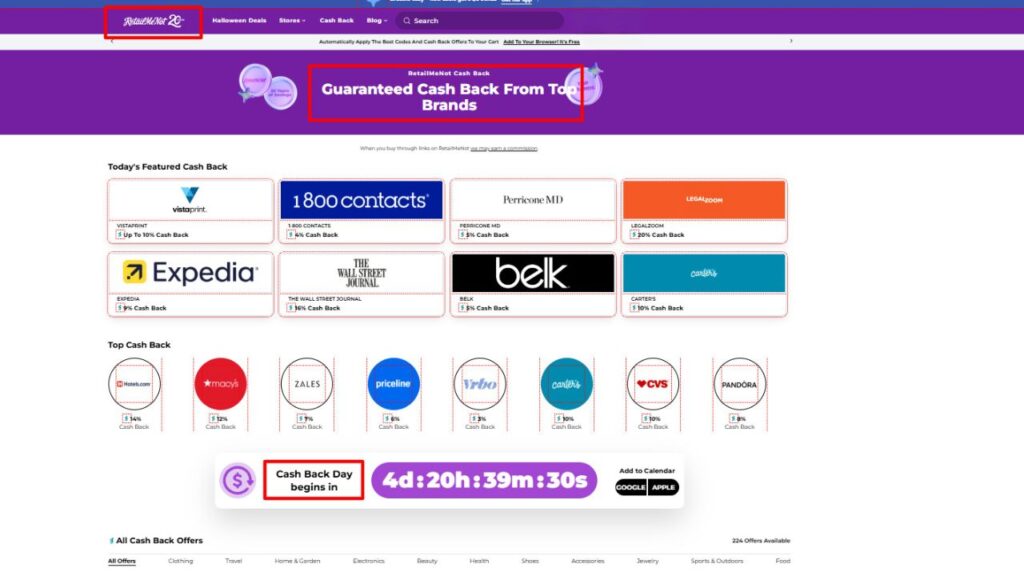
RetailMeNot is pure coupon testing with a cash back side dish. The Chrome version is a 2.26 MiB download that finds, tests and applies codes at checkout, with up to 20% back at select retailers.
Real flaws:
- It asks to read and change your data on all websites, not just stores.
- No real price comparison, so a code can still leave you paying more than a rival store charges.
Who Should Skip This: shoppers who care more about the lowest price than a discount code.
8. Slickdeals
The best part? Slickdeals deals are voted on by real shoppers, so junk offers sink fast. The extension applies coupons automatically and lets you search past deals to see if today’s price is actually good.
Real flaws:
- Cash back covers hundreds of stores, not thousands.
- The extension feels like a sidekick to the website, not a full tool on its own.
Who Should Skip This: people who don’t want to read deal threads.
9. PayPal Honey
Honey still works. It tests codes, offers rewards points, and its Droplist tracks prices. But Honey’s Chrome users fell from about 20 million to about 12 million by the end of 2025, and PayPal has said merchants decide which coupons Honey shows.
Real flaws:
- Partner stores can shape which codes you see, so “best code found” may not be the best code online.
- Rewards points need 1,000 points ($10) before you can redeem them.
Who Should Skip This: anyone who wants the best possible code, not the one a store prefers.
10. PriceBlink
PriceBlink is a simple tool that flags when another retailer sells the same item for less. It’s handy for big single purchases like a TV or a mattress.
Real flaws:
- Coupons are weak. It often won’t show the code itself.
- Its store list is smaller than Capital One Shopping’s.
Who Should Skip This: anyone who already runs Capital One Shopping.
The Stacking Setup That Actually Works
That brings us to the biggest mistake people make: installing five coupon and price comparison browser extensions at once. Cash back follows the last click. Two cash back tools on one checkout can overwrite each other, and you may get nothing.
Use this setup instead:
- One price tool: Capital One Shopping for most stores, Keepa or The Camelizer for Amazon.
- One cashback tool: Rakuten or Coupert. Never both on the same order.
- Turn the rest off in your extensions menu. Turn them back on only when you shop.
If the popups are still too much, learn how to block popups in Chrome and Edge. If your browser slows down, clear your cache without losing your logins, but do it before you activate cash back, not in the middle of checkout.
Your Browser May Already Do Half the Job
Before you install any coupon and price comparison browser extensions, check what’s built in:
- Chrome: Shopping insights show a product’s typical price range and up to 90 days of price history in the side panel. “Track price” emails you when it drops.
- Edge: Microsoft Shopping still offers price comparison, price history, price tracking and cash back paid through PayPal. Its coupon feature is gone.
For a single purchase, that may be all you need.
Frequently Asked Questions (FAQs)
Are coupon extensions safe to use?
Most big names are legit, but they see a lot of your browsing. Check the permissions and privacy policy before you install, and remove the ones you don’t use.
Is Honey still worth using in 2026?
It still finds codes. But merchants can shape which codes it shows, and three affiliate networks cut off or suspended it in January 2026. Many shoppers have moved to other tools.
Can I use more than one coupon extension at a time?
You can, but don’t run two cash back tools on the same checkout. The last one to set its cookie usually gets the credit, and the other gets nothing.
What is the best free price comparison extension?
Capital One Shopping for comparing stores. For Amazon price history, The Camelizer is fully free.
How do coupon extensions make money?
Stores pay them an affiliate commission when you buy. They share part of it as cash back or points.
Final Thoughts
The right coupon and price comparison browser extensions save money only when each one has a clear job. Start with Capital One Shopping and Rakuten, add Keepa if Amazon is your main store, and switch everything else off. Check one real purchase this week and see what you saved.